

Client Management
Every client record, shaped around your process
Create flexible client records with custom fields, workflows, access rules, documents, events, notes, audit logs, projects and billing context in one place.
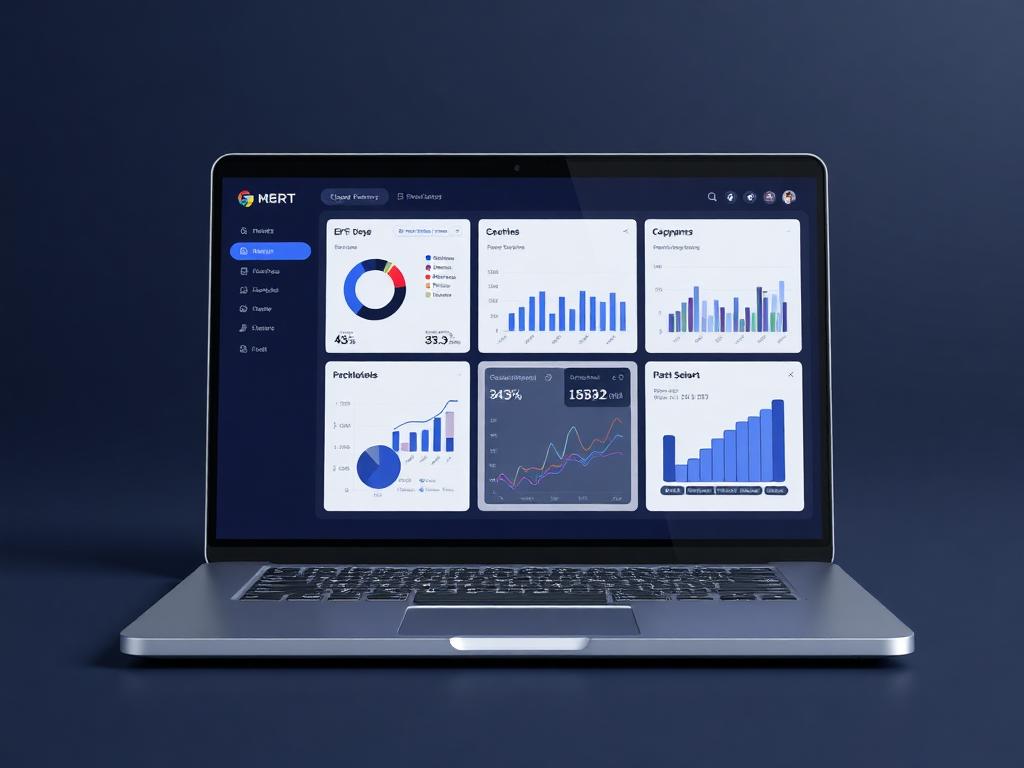
Client workspace
Client profile active
Live business context
Create flexible client records with custom fields, workflows, access rules, documents, events, notes, audit logs, projects and billing context in one place.
Why it matters
Built to make the next step obvious.
Client Management in Ofisync is not just a contact list. Each client becomes a controlled workspace where teams can define the data they capture, decide who can access it, track every interaction and connect the relationship to projects, CRM and finance.
Capture the exact client information your business needs without forcing every team into the same form.
Control who can view or act on each client, including sensitive documents, billing records and internal notes.
Move from client profile to project, quotation, invoice, receipt and CRM follow-up without re-entering context.
Guided workflow
From setup to daily execution.
Create the client record
Add a client using your own fields, client types, tags and auto-numbering rules. Existing fields can be modified so the form matches how your team classifies clients.
Control access and workflow
Assign who can view, update or approve work on the client. Each user can follow a different workflow depending on their role and the process defined for that client.
Connect daily activity
Attach documents, events, notes, audit logs and projects. From projects, the client can connect naturally to billing, quotations, invoices, receipts and detailed financial context.
Real workflow fit
Built around the moments your team already deals with.
A team starts with a new client record, but the work quickly expands. The profile needs custom information, access rules, documents, notes, events, audit history, projects, billing and CRM follow-up. Client Management keeps that full story in one controlled workspace.
How Client Management works in practice.
Scenario 1
An admin shapes the client form before anyone starts adding records
The story begins with setup. An admin defines the client types the business uses, such as individual, corporate or any custom category. They add tags, configure the auto-numbering structure and decide which fields appear on the Add/Edit Client form. If the default fields do not fit the business, they can be modified so the form uses the team's own language.
Scenario 2
Existing clients can come in through bulk imports
If the team already has clients in spreadsheets or another system, they do not have to recreate each profile manually. Authorized users can import clients in bulk, map source columns to Ofisync fields, apply client types or tags, and let the numbering rules create clean records inside the new structure.
Scenario 3
A user creates a client with the right structure already in place
When a team member adds a client, Ofisync applies the defined numbering format, available client types and allowed tags. The record is not generic. It captures the data the organization decided matters, including country, dates, identifiers and any custom input fields the admin configured.
Scenario 4
Access is assigned before the client becomes operational
The client record can be open to all authenticated users when the information should be broadly visible, or restricted to specific people, teams or roles when it is sensitive. An authorized user can decide who can view the client, edit details, see documents and perform sensitive actions.
Scenario 5
Each user follows the workflow meant for their role
A client can move through workflows that reflect how the business operates. The sales user may work through qualification and CRM follow-up, an operations user may handle documents and events, and a finance user may only see billing-related actions. The workflow changes based on how it is defined and who is using the system.
Scenario 6
The client profile becomes the activity hub
Once active, the profile collects the practical day-to-day record. Documents can be associated with the client. Events can be scheduled or reviewed. Notes keep comments and attachments together, so a discussion, file and decision stay in one place. Audit logs record important actions for traceability.
Scenario 7
Projects connect the client to work and revenue
If the user's use case involves projects, those projects sit under the client context. From there, the team can see how work maps to quotations, invoices, receipts and billing. The result is a detailed overview that connects the relationship, the work delivered and the money attached to it.
Scenario 8
Search and CRM keep the relationship easy to manage
As the client list grows, users can search by name, client number, type, tag, date added, country and other configured fields. CRM activity can then use the same client data for relationship management, follow-ups and pipeline context without creating a separate duplicate record.
Everyday use cases
Where Client Management becomes useful fast.
Use case 1
Configurable client onboarding
An admin defines client types, tags, custom fields and numbering rules. When a user adds a client, the form follows that structure and captures the right information from the start.
Use case 2
Controlled client operations
Authorized users decide whether a client uses open access for all authenticated users or restricted access for selected users, teams or roles. They also define what each user can update and which workflow applies to them.
Use case 3
Client to project to billing
When a client has associated projects, the team can follow that path into quotations, invoices, receipts and billing history without losing the original client context.
Inside the workspace
Clear views for the people who depend on Client Management.
Each page is shaped around real operational responsibility: what people need to see, what records must stay connected, and what decisions should happen without waiting for another spreadsheet.
Admins
Client types, custom fields, numbering formats, tags, workflows, open access and restricted access rules
Account managers
Client profile, notes, events, documents, CRM activity and follow-up history
Finance and operations
Linked projects, quotations, invoices, receipts, billing context and authorized actions
Records kept together
What the module tracks
Useful automation
Actions Ofisync can help move forward
Report
Client overview
Review client details, type, tags, open or restricted access, documents, events, notes, audit logs and related work from one profile.
Report
Commercial history
Follow the path from client to project, quotation, invoice, receipt and billing summary without leaving the client context.
Report
Search and segmentation
Find and group clients by name, number, type, tag, country, date added or custom fields configured by the user.
Connected modules
Explore what works with Client Management.
Client Portal
Give clients a branded, access-scoped portal for documents, invoices, approvals, project updates, requests and shared activity without exposing internal workspaces.
Contacts CRM
Manage contacts, leads and relationship activity with entity links, tags, notes, events, follow-ups, saved views and CRM context connected to the rest of the workspace.
Billing Suite
Create numbered billing documents with custom document types, entity ownership, automated addresses, templates, multi-currency values, workflows, notes, credentials and linked document progression.
Ready to see it live?
Walk through Client Management with an Ofisync specialist.
We will map the demo around your business workflow, show the connected modules and help you identify the fastest path to rollout.